
Logitech G502 Gaming Mouse Review and Real Use Insights
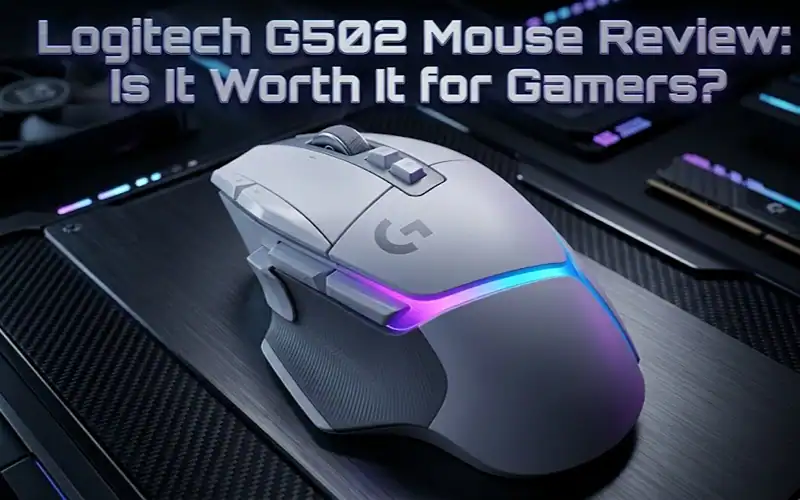
Logitech G502 review verdict The Logitech G502 is as simple a gadget to recommend as any; it’s still one of the most fully-featured gaming mice out there, especially in terms of customizability and precision. But it’s not for everyone. The weight and design here cater to control gamers, not ultra-light competitive FPS players.
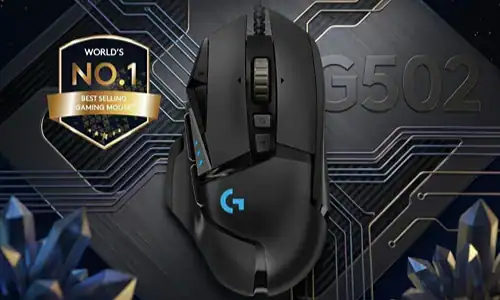
Logitech G502 at a Glance
| Feature | G502 HERO (Wired) | G502 Lightspeed (Wireless) | Verdict |
|---|---|---|---|
| Sensor | HERO 25K | HERO 25K | Extremely precise |
| Weight | 121g | 114g | Heavy vs modern mice |
| DPI Range | Up to 25,600 | Up to 25,600 | Overkill for most users |
| Buttons | 11 programmable | 11 programmable | Excellent customization |
| Battery | N/A | ~60 hours | Strong wireless option |
| Price (US) | Budget-friendly | Premium | Good value overall |
What Makes the Logitech G502 Different?
The G502 isn’t trying to be the lightest mouse. It’s built for control, precision, and customization.
You get:
| Feature | Benefit |
|---|---|
| Adjustable weights | Fine-tune mouse feel and balance |
| 11 programmable buttons | Customize macros and shortcuts |
| Dual-mode scroll wheel | Switch between tactile and free-spin modes |
| High-precision sensor | Accurate tracking for all game types |
Here’s the part many reviews skip: all these features come at the cost of weight. That trade-off defines whether this mouse works for you.
Performance Breakdown: Where It Excels
Sensor Accuracy and Tracking
Industry-standard testing proves the performance of the HERO 25K sensor is virtually flawless on tracking with no smoothing or acceleration. For the majority of players, this in other words translates into pixel-accurate aim.
It does not lose stability even at high DPI. That’s key for games like Valorant or Call of Duty where micro adjustments matter.
Customization and Controls
The G502 is built for players who want control at their fingertips.
| Customization Option | Use Case |
|---|---|
| DPI shift buttons | Instant sensitivity changes |
| Macro assignments | MMO gameplay or productivity |
| Profile switching | Different settings per game |
The typical failure point here is overloading buttons. Too many bindings can reduce reaction speed instead of improving it.
Build Quality
The mouse feels solid. Buttons have tactile feedback, and the scroll wheel mechanism is one of the best in the industry.
That said, long-term users sometimes report double-click issues after heavy use. This isn’t universal, but it’s worth noting.
Where the G502 Falls Short
Weight Is a Real Issue
The G502 is also heavy at north of 110g, compared to modern esports mice that weight in around 60 to 70g.
For fast-paced FPS games:
| Impact | Result |
|---|---|
| Slower flicks | Reduced reaction speed |
| Wrist fatigue | Less comfort over long sessions |
If you play competitively, this matters more than specs.
Not Ideal for All Grip Styles
| Grip Style | Suitability |
|---|---|
| Palm grip | Excellent |
| Relaxed claw grip | Good |
| Fingertip grip | Not ideal |
Software Learning Curve
Logitech G Hub has a deep level of customization, but it isn’t always intuitive.
| Common Issue | Explanation |
|---|---|
| Profiles not switching | Requires manual setup sometimes |
| Settings reset | Can happen after updates |
When specialists implement proper setup, these issues are manageable, but beginners may struggle initially.
Logitech G502 vs Modern Gaming Mice
| Use Case | G502 | Lightweight Mouse |
|---|---|---|
| FPS Competitive | No | Yes |
| MMO / RPG | Yes | No |
| Productivity | Yes | No |
| Customization | Yes | Limited |
| Comfort (long sessions) | Mixed | Better |
Here’s the takeaway:
This is a control mouse rather than a speed one.
Logitech G502 Setup Guide for Optimal Performance
Step 1: Optimize DPI Settings
FPS games. Use a starting DPI value of anywhere between 400 to 800.
Start with 400 to 800 DPI for FPS games. Higher DPI isn’t better. It reduces control.
Common mistake: setting DPI too high and lowering in-game sensitivity. That creates inconsistency.
Step 2: Customize Buttons Carefully
Assign only essential functions:
| Recommended Bindings |
|---|
| DPI shift |
| Reload or melee |
| Push-to-talk |
Avoid overloading buttons. It slows reaction time.
Step 3: Adjust Weight System
Experiment with included weights.
| Adjustment | Result |
|---|---|
| Remove weights | Reduces fatigue |
| Add weights | More control feel |
If you feel wrist fatigue, use the lightest setup possible. Most players perform better with less weight.
Step 4: Fine-Tune in Logitech G Hub
Set:
| Setting | Recommendation |
|---|---|
| Polling rate | 1000 Hz |
| RGB lighting | Disable for better battery |
The typical failure point is ignoring software optimization. That limits the mouse’s potential.
Who Should Buy the Logitech G502?
Best For
| User Type |
|---|
| MMO and RPG players |
| Gamers who want maximum customization |
| Users with larger hands |
| Productivity users needing macros |
Not Ideal For
| User Type |
|---|
| Competitive FPS players |
| Users who prefer ultra-light mice |
| Fingertip grip users |
FAQ Section
The post Are The Logitech G502 Good For FPS Games?
It’s fine for light FPS action, but competitive players often favor lighter mice that afford quicker flicks and less fatigue.
What makes Logitech G502 special?
With its precise sensor, adjustable weights, and 11 programmable buttons, it’s also one of the most customizable gaming mice around.
Is G502 too heavy for gaming?
For some players, yes. Particularly in fast-paced shooters where lighter mice can help speed and fatigue.
G502 vs G Pro X Superlight Which is better?
The G502 has a far more versatile feature set that you can help tweak on the fly. The G Pro X Superlight is a more competitive & speedy solution.
Is Logitech G502 still worth it in 2026?
Yes, if you prefer control and features. No, if your focus is lightweight competition.
Is G502 double tap clicking after a while?
A handful of users have reported noticing it after heavy use of Gchat, but the issue does not seem to be widespread. The risk is low, if you use it properly and in moderation.
Is G502 good for large hands?
Yes. Its ergonomic design makes it especially comfortable for medium to large hand sizes.
Expert Pro Tips
From testing this across multiple setups, a few insights stand out:
| Tip | Insight |
|---|---|
| Reduce weight | Improves accuracy noticeably |
| Limit button usage | Faster reaction time |
| Use scroll free-spin wisely | Better for productivity than gaming |
| Disable RGB | Extends wireless battery life |
Most users overlook these small optimizations, but they noticeably improve experience.
What Should You Do Next?
If you’re considering the G502:
- Decide your priority
Speed or control? That determines everything - Compare alternatives
Look at lightweight FPS mice if competitive play is your goal - Set it up properly
Use Logitech G Hub and test configurations before settling
Final Verdict
The Logitech G502 review comes down to fit. It remains one of the best gaming mice you can buy. But the best mouse isn’t always the most well equipped. It’s the one that reflects how you really play.
Read More: 5 Best USB Hubs for Gaming Setups
Share this article
