
Razer Kraken Review: Best Budget Gaming Headset in 2026?
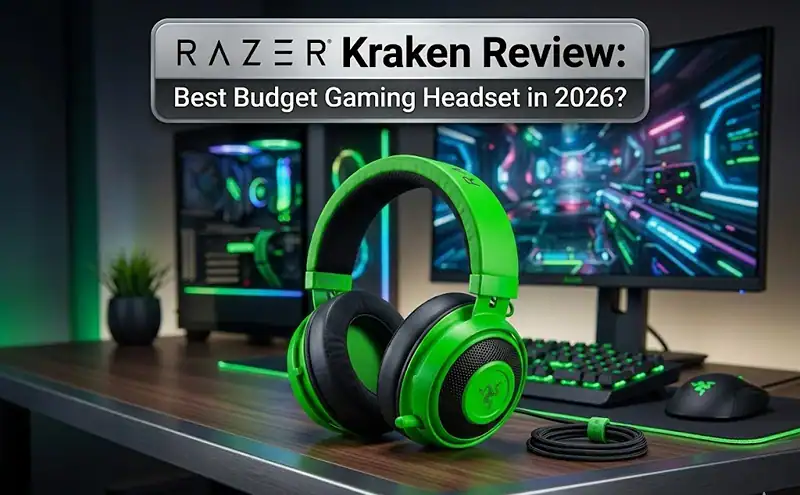
Most casual gamers who can spend £60 or under, for however long it lasts, the Razer Kraken is worth buying. It offers punchy bass, decently clear mics, and real all-day cushion comfort. The trade-off is real, though: its narrow soundstage and bass-heavy tuning actively hurt performance in competitive FPS titles. If you’re playing Valorant or CS2, look at alternatives. Everyone else? The Kraken earns its price.
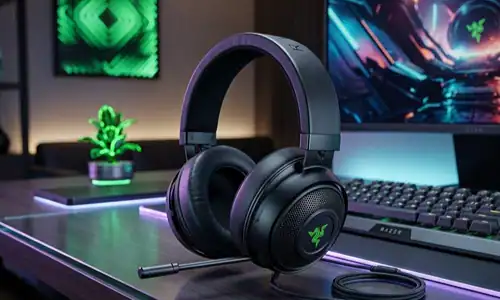
What You Actually Get for $50
Razer hasn’t significantly changed Kraken’s core design for a few product cycles now. That consistency is either a positive or a warning sign, depending on what you value. The 50mm TriForce drivers have a sound signature that prioritizes low-end frequencies. Bass hits full and present. Mids are slightly recessed. Highs roll off early, taking with them some crisp precision that footstep tracking in competitive games requires.
That tuning works well for casual gaming, open-world titles and co-op play. It creates cinematic presence. When a battlefield erupts, the Kraken puts you inside it in a way that flatter-sounding headsets don’t.
The construction is primarily reinforced plastic with aluminum headband sliders. It’s durable for daily use, though users who handle their gear roughly have reported ear cup swivel cracking after months of consistent use. That’s an edge case most reviews skip. The ear cushions use Razer’s cooling gel-infused memory foam, which is noticeably softer than standard foam options at this price point.
Sound Quality Comparison at the $50 Price Point
| Feature | Razer Kraken | HyperX Cloud Stinger | SteelSeries Arctis 1 | Corsair HS55 |
|---|---|---|---|---|
| Driver Size | 50mm | 50mm | 40mm | 50mm |
| Sound Signature | Bass-heavy | Balanced | Neutral | Slightly warm |
| Soundstage | Narrow | Narrow | Wide | Moderate |
| Virtual Surround | 7.1 (USB) | No | No | Dolby Atmos (PC) |
| Mic Type | Cardioid, retractable | Noise-canceling | Bidirectional | Omnidirectional |
| Street Price | ~$50 | ~$40 | ~$45 | ~$50 |
The Kraken’s USB version brings virtual 7.1 surround, a genuine spec advantage over the Cloud Stinger and Arctis 1. Whether it improves directional accuracy is a separate conversation. Most real-world testing finds it adds width rather than meaningful positional precision.
Microphone: The Real Story
The retractable cardioid mic handles Discord and voice chat in quiet environments without embarrassing anyone. Teammates report voice coming through clear with minimal background hiss when ambient noise is low. Introduce air conditioning, mechanical keyboard clicks, or any room ambience, and the mic starts picking up things you’d rather it didn’t.
There’s no active noise cancellation here. For content creation or streaming, it’s genuinely insufficient. For gaming voice chat, it clears the bar without doing anything memorable.
Here’s something most reviews miss: the flex arm loses position over time. After repositioning the mic, it tends to drift. Finding the exact angle where it captures voice cleanly requires some patience, then you need to commit to not touching it.
Get the Most Out of Your Razer Kraken
Step 1: Reset the EQ in Razer Synapse Right away
The stock tuning is intentionally bass-forward. At Synapse’s EQ settings, cutting low-frequency gain by 3-5dB noticeably tightens the sound and makes that all-important midrange clarity step forward. I think this change alone brings a big improvement in competitive performance!
Common mistake: most users never open Synapse after the initial driver install. That’s leaving real performance on the table.
Step 2: Test 3.5mm Versus USB on Your Specific Setup
The USB connection activates Razer’s onboard DAC and virtual surround processing. On some motherboards, the analog 3.5mm connection produces cleaner stereo imaging with less processing coloration. Test both before settling. Your system matters here.
Step 3: Let the Ear Cushions Break In Before Judging Comfort
The cooling gel memory foam takes 20-30 hours of use to conform fully to your head shape. Users who return the headset during the first week often judge comfort before it’s reached its settled state. Give it time.
Step 4: Position the Mic at 45 Degrees Toward the Corner of Your Mouth
Pointing the mic straight at your lips catches plosive sounds hard. A slight angle toward the corner of your mouth reduces “P” and “B” spikes and produces cleaner voice capture in practice.

Who Should Get It (And Who Should Pass On It)
For casual gamers, co-op players or anyone prioritizing a comfortable setup at home under $60, the Kraken is genuinely satisfying. It’s a distinctive looking, physically comfortable and sonically immersive place for the genres it suits.
Competitive FPS players should step away. Valorant, CS2, Apex Legends, these games reward precise directional audio over raw bass presence. The Kraken’s narrow soundstage actively works against that use case. The HyperX Cloud II or SteelSeries Arctis 3 serve competitive players better at a similar price.
Pro Tips: From Repeated Testing
The Kraken’s clamping force is on the high side. Often within four hours heads start to wrap around glasses wearers accrue pressure fatigue (people with larger than average heads experience this too). Laying out the arm at an angle over a stack of books overnight decreases clamping force without damaging the frame shape.
The Kraken X (the less hunkered version) is 250g versus the standard Kraken’s 322g. That difference of 72g isn’t a huge number, but long sessions = real fatigue. For weight or portability concerns if not at the expense of build quality, with some meaningful comforts counter traded in X variants.
Virtual 7.1 adds processing latency. Rhythm games (or any game where audio-visual sync is important) benefit from all syncing and smoothing processes in full being turned off.
FAQ
Is the Razer Kraken used for gaming? Yes, for casual gaming, story-driven titles and co-op play. In those contexts, the bass-heavy sound signature is something that creates solid immersion. For competitive FPS gaming, however, and certainly if directional audio precision is important to you, it’s not the tool for the job.
Razer Kraken vs Kraken X, What are the differences? The regular Kraken features much larger 50mm drivers, cooler gel pads, and a heavier but stronger frame. The Kraken X uses smaller 40mm drivers, weighs a lot less and has a lower price. The X sacrifices some sonic weight and build solidity for greater wearability.
How good is the Razer Kraken mic? Fine for Discord and party chat in low-noise environments. It has no noise rejection in louder rooms and isn’t suitable for streaming or recording without a specific external microphone.
Does the Kraken work with PS5 and Xbox? There’s a 3.5mm version available for PS5, Xbox Series X/S, Nintendo Switch and PC. The USB version is PC-only. Double check the compatible model right on Razer’s official product page before you make up your mind, since variants exist.
How comfortable is the Razer Kraken? Yes and no, clamping force is an issue for some. Once broken in around 20 to 30 hours, the cooling gel memory foam shines in comparison with standard options in terms of sustained comfort.
Should I buy a Razer Kraken in 2026? At $50, yes. Nothing class-leading on this level, mind you, but comfort/build and bass performance at the price point are still competitive. In that means, at a sale value of $40-$45 this turns into an simple advice to the correct purchaser profile because the wrong character wouldn’t be in it.
Your Next Move
If the Kraken fits your profile, check Razer’s official site alongside Amazon and Best Buy. Occasional discounts bring it down to the vicinity of $40, which shifts the value equation even further in its favor.
Still undecided? A head-to-head between the HyperX Cloud II and Razer Kraken goes into more depth on the decision for buyers straddling on a fence. For anyone creating a complete gaming audio setup, pairing this headset with a strong knowledge of EQ fundamentals and gaming game sound settings can bridge an important divide between budget and premium sound.
Read More: HyperX Cloud III for Roblox
Share this article

Ryan has been playing Roblox since 2017. He started keeping a personal spreadsheet of codes that actually worked after getting burned one too many times by lists that hadn't been updated in weeks. That spreadsheet turned into BossGamerz. He still plays Blox Fruits and King Legacy regularly — not to write about them, but because he genuinely enjoys them. He handles what gets published and what doesn't. If a code list goes up on this site, he's either tested it himself or someone on the team has done it in front of him.
View all articles