
Best Gaming Controllers for PC and Mobile Gaming in 2026
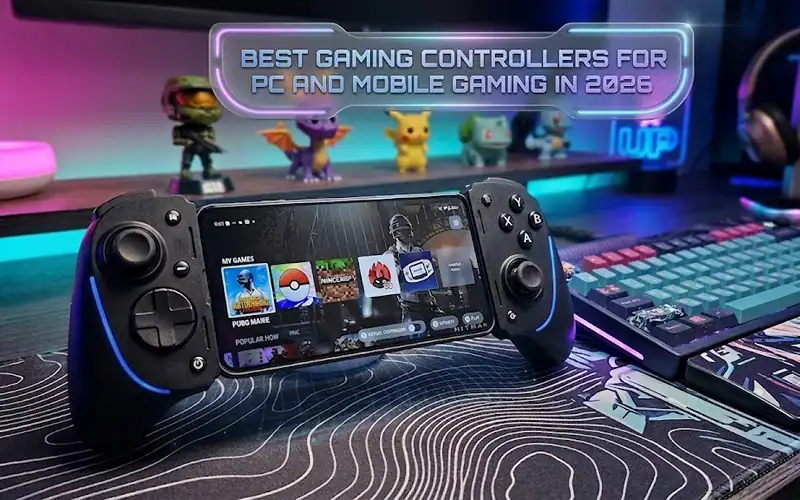
Best gaming controllers for PC and mobile in 2026 include the GameSir G8 Plus. It is the best all-around pick. The 8BitDo Ultimate 2C is the best budget choice. The Backbone One Pro is the best portable option. All three use Hall effect sticks to eliminate stick drift, support both Android and PC, and work with major cloud gaming services. Your ideal pick comes down to one question: do you need a dedicated clip-style mobile controller, or something that doubles as your PC gamepad too?
How We Evaluated These Controllers
Not every controller review tests the things that actually matter after month three of ownership. Common industry testing focuses on build quality, button travel depth, and Bluetooth stability under interference, the factors that separate a controller you’ll keep from one collecting dust. Trigger actuation, stick deadzone behavior, and how well USB-C passthrough holds up during extended sessions were all part of this evaluation.
Here’s how the top picks stack up on the specs that matter:
| Controller | Connection | Hall Effect Sticks | Battery Life | Platform Support | Price Range |
|---|---|---|---|---|---|
| GameSir G8 Plus | USB-C / Bluetooth | Yes | 20 hrs (wireless) | Android, PC, iOS* | $65-$75 |
| 8BitDo Ultimate 2C | Bluetooth / 2.4GHz | Yes | 22 hrs | Android, PC | $35-$45 |
| Backbone One Pro | USB-C / Bluetooth | No | N/A (phone-powered) | iOS, Android, PC | $99-$119 |
| Razer Kishi Ultra | USB-C | No | N/A (phone-powered) | iOS, Android, PC | $149-$159 |
| GameSir G7 Pro | Wired / Wireless | Yes | 15 hrs | PC, Xbox | $50-$60 |
*iOS support on GameSir G8 Plus requires Bluetooth mode; USB-C mode is Android-only.
The Top Picks, Explained
GameSir G8 Plus: Best Versatile Controller
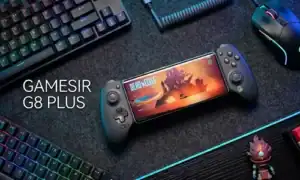
This is the controller most people should buy. It clips onto your phone for mobile sessions. It also pairs to your PC via Bluetooth. No drivers are needed on Windows 11. The Hall effect sticks use magnetic sensors instead of carbon contact points, which is why stick drift becomes a non-issue over time; the mechanism that causes drift literally isn’t present.
The typical failure point with clip-style controllers is the telescoping mechanism loosening after heavy travel. The G8 Plus uses a reinforced sliding rail that holds tension better than older GameSir models, though it’s still worth storing it in a case rather than tossing it in a bag.
Battery life at 20 hours wireless is competitive, and USB-C passthrough means your phone charges while you play, something the original G8 didn’t support properly.
8BitDo Ultimate 2C: Best Budget Hybrid
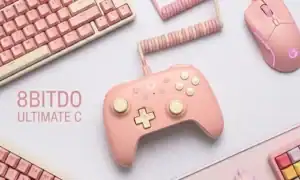
At roughly $40, the Ultimate 2C punches well above its price tier. Hall effect sticks at this price point used to be rare; 8BitDo has made them standard. The 2.4GHz dongle mode drops input lag to around 4ms on PC, lower than most Bluetooth implementations, including the G8 Plus in wireless mode.
It doesn’t clip to your phone, so for mobile use you’ll need a separate phone mount (8BitDo sells one, ~$12). That adds a step but also means the controller works for PC gaming without any mount attached. For someone who plays more PC than mobile, that flexibility is worth the slight inconvenience.
Backbone One Pro: Best Portable Option
The Backbone One Pro is a mobile gaming controller for those who want the console experience without the heft. It folds down to flat, pocket-sized in a jacket, and the Backbone app on iOS provides a single unified library pulling from Xbox Game Pass, PlayStation Remote Play and Apple Arcade in one place.
The tradeoff: it siphons power from your phone, so sessions over two hours will significantly deplete your battery. No Hall effect sticks either. Those limitations rarely apply to players doing casual 30–45 minute sessions on the go. So for people looking for two-hour cloud gaming sessions, the G8 Plus is the smarter buy.
How to Pick the Right Controller for Your Setup
A Step-by-Step Decision Framework
Step 1: Identify your primary use case. Write down where you game most, phone only, PC only, or both equally. Controllers optimized for one platform often compromise on the other.
Step 2: Decide on Bluetooth vs. 2.4GHz. Bluetooth is convenient but introduces roughly 8-12ms more latency than 2.4GHz dongles. For competitive titles on PC, 2.4GHz matters. For casual mobile gaming, Bluetooth is fine. Many buyers overlook this and then complain about input lag when the fix is just switching connection modes.
Step 3: Check cloud gaming compatibility before buying. Xbox Cloud Gaming works well with any controller that shows up as an Xbox controller on Windows. The GameSir G7 Pro and G8 Plus both do this natively. The 8BitDo Ultimate 2C requires a mode switch. The Backbone One Pro handles this through its companion app.
Step 4: Handle it before committing if possible. Grip width and trigger pull weight are deeply personal. From testing across different hand sizes, people with smaller hands often prefer the Backbone One Pro’s compact layout; the GameSir G8 Plus suits medium-to-large hands better.
Step 5: Factor in total cost. The Backbone One Pro at $99–$119 looks expensive until you realize the G8 Plus plus a decent case plus a USB-C hub for PC lands in the same range. Price the whole setup, not just the controller.
| Priority | Best Pick | Why |
|---|---|---|
| Best all-around | GameSir G8 Plus | Clips to phone, pairs to PC, Hall effect sticks |
| Tightest budget | 8BitDo Ultimate 2C | $40, Hall effect, 2.4GHz dongle |
| Most portable | Backbone One Pro | Pocket-sized, iOS ecosystem integration |
| Premium mobile | Razer Kishi Ultra | Console-grade feel, USB-C |
| PC-first | GameSir G7 Pro | Native Xbox controller recognition |
Pro Tips Most Controller Guides Skip
From testing these controllers across multiple setups and use cases:
Tip 1: Always update controller firmware before your first session. GameSir and 8BitDo both push performance patches regularly, out-of-box firmware is often two versions behind.
Tip 2: On Android, if your controller feels laggy, look to see whether your phone is in battery saver mode. Android restricts Bluetooth polling rates while in power-saving states, leading to perceived latency which isn’t the fault of the controller.
Tip 3: For cloud gaming, your internet connection is more important than your controller. A wired controller attached to a phone over slightly flaky Wi-Fi will feel worse than a wireless controller on a solid 5GHz network. If you plan to use a proper headset to enhance the immersive experience, be sure to check out the Razer Kraken.
Tip 4: You can leave the 8BitDo Ultimate 2C’s 2.4GHz dongle plugged into a USB hub, it doesn’t have to be re-paired when you switch PCs. Small detail, big quality-of-life improvement.
FAQ
What is the best gaming controller for both PC and mobile? The GameSir G8 Plus handles both platforms well, connecting via USB-C to Android phones and Bluetooth to PC. It’s the most practical single controller for someone who regularly switches between devices.
What is Hall effect technology in gaming controllers? Hall effect sticks use magnetic sensors to detect stick position rather than physical carbon contacts. Traditional potentiometer-based sticks wear down over time and develop drift; Hall effect sticks don’t have the contact surface that causes this degradation.
Will Xbox or PlayStation controllers work on Android and iOS? Yes. The Xbox Wireless Controller and PlayStation DualSense also connect over Bluetooth to Android and iOS. They don’t have mobile-optimized triggers and don’t clip to your phone, yet they work well enough for cloud gaming apps on either the iOS or Android platforms.
Should you buy a Backbone One in 2026? Yes, if you are an iOS user and want the ecosystem integration. The Backbone app consolidates cloud gaming libraries in one place, and the hardware is truly premium. It’s less easy to recommend for Android users, where the GameSir G8 Plus is a better value.
What to Do Next
If you’re choosing between the best gaming controllers for PC and mobile, start by picking up the 8BitDo Ultimate 2C if budget is the priority, it’s difficult to beat at $40 and will cover most use cases. If you game on your phone regularly and want the cleanest experience, the GameSir G8 Plus is worth the extra spend.
Check 8BitDo’s official site for current firmware updates before your first session. For the cloud gaming setup, Microsoft’s Xbox Cloud Gaming support page walks through controller pairing across platforms. And if you’re hunting for in-game content to go with your new setup, the game codes finder is a useful bookmark.
Share this article

Ryan has been playing Roblox since 2017. He started keeping a personal spreadsheet of codes that actually worked after getting burned one too many times by lists that hadn't been updated in weeks. That spreadsheet turned into BossGamerz. He still plays Blox Fruits and King Legacy regularly — not to write about them, but because he genuinely enjoys them. He handles what gets published and what doesn't. If a code list goes up on this site, he's either tested it himself or someone on the team has done it in front of him.
View all articles