
Best Gaming Laptop for Roblox in 2026 (Any Budget)
Best Laptop for Roblox Under $500
Roblox is one of the least demanding games you can put on a laptop, and the official requirements say so. Roblox’s own support page asks for a processor from 2005 or later at 1.6 GHz, DirectX 10 feature level support, and 1 GB of RAM. It goes on to recommend either a computer under five years old with a dedicated video card, or a laptop under three years old with integrated graphics.
Read that last part again, because it’s the sentence that saves you money. Roblox does not need a gaming laptop. It needs a recent laptop.
That matters in 2026, because the sub-$500 gaming laptop has effectively stopped existing. New machines with dedicated GPUs start closer to $700. Anything advertised as a $500 gaming laptop is either integrated graphics with gamer styling, or a refurbished unit two or three generations old.
What your money actually buys under $500
Integrated graphics, and that’s fine here. The question worth asking isn’t which GPU, it’s whether the rest of the machine holds up.
RAM is where budget laptops quietly fail you. Roblox itself asks for 1 GB, which is nothing, but nobody plays Roblox alone on the machine. Discord in the background, a browser with a dozen tabs, maybe a YouTube guide playing on the second screen. 8 GB handles the game by itself and gets tight the moment you add anything. 16 GB is the target if you can reach it at this price.
Storage is the other trap. A spinning hard drive in 2026 makes everything feel slow regardless of the rest of the specs, and some of the cheapest listings still ship them. 256 GB of SSD or UFS storage is the floor, and 128 GB fills up faster than parents expect once Windows updates start stacking.
Screen resolution is the one place you can safely compromise. A 1080p IPS panel is common at this price and perfectly good for Roblox.
Three real configurations to measure against
These are not rankings, they’re reference points. Each one is a machine you can actually find, with specs pulled from manufacturer or retailer listings, so you can hold any listing you find up against them.
| Aspire Go 15 (AG15-32P-30YE) | Aspire Go 15 (AG15-32P-39R2) | Acer Aspire 3 (Ryzen 5) | |
|---|---|---|---|
| CPU | Intel Core i3-N355, 8 core | Intel Core 3 N355, 8 core | AMD Ryzen 5 7520U |
| RAM | 16 GB DDR5 | 8 GB DDR5 | 8 GB |
| Storage | 512 GB PCIe Gen4 SSD | 128 GB UFS | 512 GB SSD |
| Display | 15.6in 1920×1080 IPS | 15.6in 1920×1080 IPS | 15.6in FHD touchscreen |
| Graphics | Intel integrated | Intel integrated | AMD Radeon integrated |
| Price | $499 MSRP | $257.97 | $449.00 |
| Price source | PCWorld review, Oct 2025 | Walmart listing, captured Aug 8 2026 | Walmart listing, captured Aug 8 2026 |
| Pick this instead if… | You want the machine to last past Roblox | Budget is hard capped and Roblox is genuinely all it does | You want AMD and more storage than the cheap Acer |
The 16 GB Aspire Go 15 is the useful benchmark here. PCWorld reviewed that exact configuration and noted it was available from Best Buy and Target, with Target discounting it to $429 during the review period. It also pointed out that the previous year’s model shipped with 8 GB and 128 GB at $299, so the spec bump came with a price bump.
Prices verified against the sources listed on August 8, 2026. Retailer pricing at this tier changes weekly, so treat these as reference points rather than current quotes.
What the specs and reviewers say
Three things come up consistently once you get past the affiliate pages.
The first is that Intel’s N-series chips are the limiting factor, not the graphics. PCWorld’s review of the Aspire Go 15 identified the Intel CPU and graphics as the main thing holding the laptop back, even while rating the machine well overall for the money. For Roblox specifically this matters less than it would for other games, but it caps what else the laptop will comfortably do.
The second is that the same chassis ships in wildly different configurations. The Aspire Go 15 alone appears with a Core 3 N355, an Intel N150, a Core i3-N305, and a Ryzen 7 7730U depending on the model number. Buying by product name rather than by the full model code is how people end up with 4 GB of RAM.
The third is that reviewers keep pointing at the tier just above. PCMag’s take on the 8 GB Aspire Go 15 was that it is impressively cheap but that Acer’s own AG15-51P and Lenovo’s IdeaPad Slim 3i deliver noticeably better performance for a little more money. If your budget has any flex in it at all, that’s where the flex is worth spending.
Verdict on the sub-$500 tier
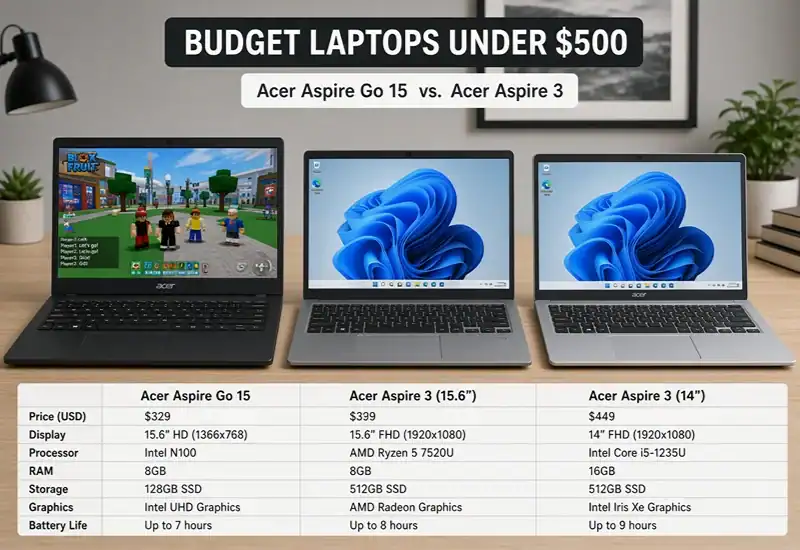
For Roblox alone, a $250 to $300 machine with a current N-series or Ryzen chip genuinely does the job, and Roblox’s published requirements back that up. For a laptop that also survives schoolwork, a browser full of tabs and three more years of Windows updates, the $429 to $499 bracket with 16 GB of RAM is the better buy.
Three things to go in clear eyed about. Nothing at this price has a dedicated GPU, so anything more demanding than Roblox will disappoint you. The cheapest configurations ship with 8 GB of soldered RAM that you cannot upgrade later, which turns a saving today into a replacement sooner. And listings at this tier change specs without changing names, so the model code is the only thing you can trust.
One warning specific to this search. Several pages currently ranking for budget Roblox laptops report frame rates from testing that does not appear to have happened, and at least one lists a dedicated RTX 4050 at a price no real listing matches. If a spec looks too good for the money, check the model number against the manufacturer’s own page before you buy.
FAQ
How much RAM do you need for Roblox?
Roblox officially asks for 1 GB. In practice 8 GB is the realistic floor for playing while running Discord and a browser, and 16 GB is worth paying for if the budget stretches.
Can you play Roblox on a laptop with integrated graphics?
Yes. Roblox’s own support page recommends a laptop less than three years old with integrated graphics as one of its two suggested setups.
Do you need a gaming laptop for Roblox?
No. The requirement is DirectX 10 feature level support, which every current integrated chip clears comfortably. Spend the money on RAM and an SSD instead.
Is a Chromebook good for Roblox?
It works, with a catch. Roblox requires Chrome OS 53 or above and you have to enable the Google Play Store first, since it runs as the Android app rather than the Windows client.
Facts checked: August 8, 2026.
Sources
- Roblox Support, Computer Hardware and Operating System Requirements (processor, RAM, DirectX, laptop age guidance, Chrome OS requirement)
- PCWorld, Acer Aspire Go 15 review (AG15-32P-30YE full specs, $499 MSRP, $429 Target sale, previous model at $299, CPU as limiting factor)
- Notebookcheck, Acer Aspire Go 15 AG15-32P (CPU details, 53 Wh battery, PCMag rating summary)
- Newegg and Walmart listings for AG15-32P-39R2 (8 GB / 128 GB UFS configuration and price)
- Walmart listing, Acer Aspire 3 Ryzen 5 7520U (specs and price)
Share this article
