
Best Gaming Headsets Under $50 for PC, PS5 and Xbox
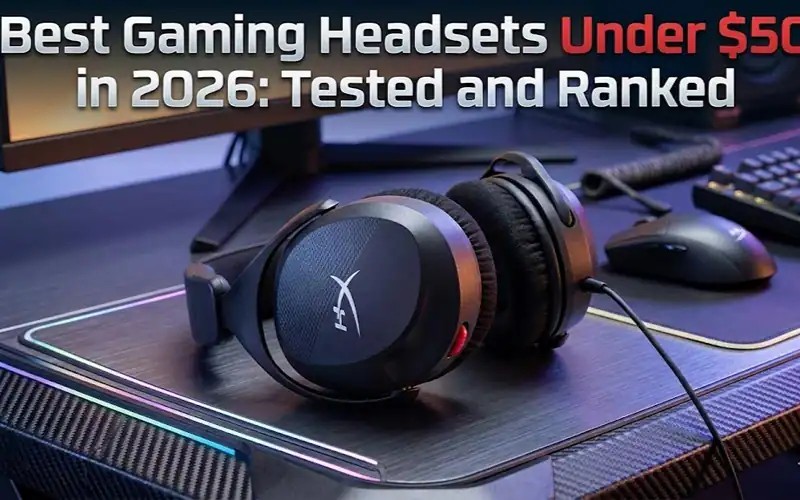
The best gaming headset under $50 in 2026 is the Razer BlackShark V2 X for most gamers, offering genuine comfort, a clear boom mic, and strong stereo audio in the $35 to $45 range. The HyperX Cloud Stinger 2 undercuts it at $20 to $30 if the budget is tight. For wireless at this price tier, the Logitech G435 is the only realistic option worth buying.
Budget headsets have a reputation problem. Too many of them sound like you’re gaming in a tin can. But a few specific models punch significantly above their price. This guide cuts through the noise. No filler picks, no padding.
How this guide was put together: we haven’t tested these headsets ourselves. This is a research based comparison built from manufacturer specifications and published reviews, with every spec traceable to a source listed at the bottom.
Top Picks at a Glance
| Headset | Price | Driver | Connection | Mic Quality | Best For |
|---|---|---|---|---|---|
| Razer BlackShark V2 X | $35 to $45 | 50mm TriForce | 3.5mm wired | Excellent | Best overall |
| HyperX Cloud Stinger 2 | $20 to $30 | 50mm | 3.5mm wired | Good | Best value |
| Logitech G432 | Around $37 | 50mm | USB / 3.5mm | Good | Best surround |
| Logitech G435 | $40 to $50 | 40mm | Wireless / BT | Decent | Best wireless |
| JBL Quantum 100M2 | Around $45 | 40mm | 3.5mm wired | Good | Best comfort |
| HyperX Cloud II | Around $50 on sale | 53mm | USB / 3.5mm | Very good | Best durability |
Prices checked: [FILL IN DATE BEFORE PUBLISHING]. Budget headset pricing moves constantly, so treat these as indicative ranges rather than current quotes.
What Makes a Gaming Headset Under $50 Actually Good
At this price point, manufacturers cheap out in predictable areas. Knowing which areas helps you pick the right one.
Driver size is a weak signal
Driver diameter gets top billing on every box, but it tells you less than the tuning does. Most of this list clusters at 50mm anyway, including the cheapest pick here. The Cloud Stinger 2 runs the same 50mm driver size as headsets costing twice as much, which is a useful reminder that the number on the box is not what separates these products.
Worth watching the model name closely. The Cloud Stinger 2 Core is a different product with 40mm drivers, and listings for the two get mixed up constantly.
Mic quality is where budget headsets usually fail
The Razer BlackShark V2 X uses a cardioid pickup pattern, which rejects more off-axis background noise than the omnidirectional mics fitted to many headsets at this price. The Cloud Stinger 2 takes a different route with a bi-directional noise-cancelling mic. If you need to be understood on squad comms, the mic pattern matters more than the driver spec.
Ear cup material matters more than you think
Leatherette traps heat. The Cloud Stinger 2 uses memory foam with leatherette, while the JBL Quantum 100M2 uses breathable fabric, and that difference becomes noticeable well before a long session ends. Anyone grinding multi-hour sessions should weight comfort heavily.
The Picks, Explained
Razer BlackShark V2 X: best overall
This is the benchmark at the price. Its TriForce 50mm design splits the driver into three chambers to handle treble, mid-range and bass separately, which is a real design difference from the single-chamber drivers common at this tier rather than pure marketing. The cardioid boom mic is the strongest reason to pick it. It connects over 3.5mm to PC, PS5, Xbox and Nintendo Switch.
The downside is the leatherette padding, which traps heat. The fabric pads on the JBL Quantum 100M2 are more forgiving over three hour sessions.
HyperX Cloud Stinger 2: best value
At $20 to $30 this is the cheapest thing here that isn’t a compromise. It runs 50mm drivers, weighs 275g, and the earcups rotate 90 degrees so the headset sits flat around your neck during breaks. The mic swivels to mute, which is the most obvious mute mechanism there is. Build is mostly plastic, but the headband flexes rather than snapping, which is where cheap headsets usually die. HyperX also bundles a DTS Headphone:X spatial audio activation code.
Logitech G432: best surround
The G432 is the only headset at this tier offering DTS Headphone:X 2.0 virtual 7.1 surround over USB on PC. Whether virtual surround helps depends entirely on what you play. In battle royales and open world games where positional audio carries real information, it earns its place. In racing games or MOBAs, you gain close to nothing.
The catch is that the USB DAC is PC only. On console you fall back to stereo over 3.5mm. Worth knowing before you buy.
Logitech G435: best wireless under $50
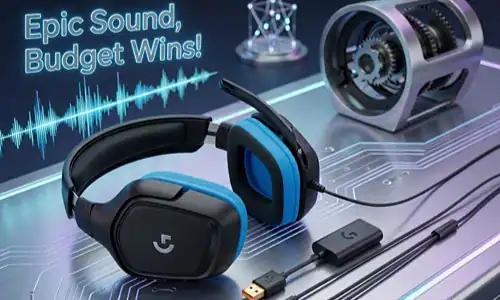
Wireless at this price is usually a bad trade. The G435 is the exception. At 165g it is lighter than every wired option in this guide, and it runs both low-latency 2.4GHz wireless over a USB transmitter on PC and Bluetooth for mobile and Nintendo Switch.
The trade-off is the mic. There is no boom, just built-in mics, and they are adequate for party chat but not for streaming or recording. Pick this only if wireless matters more to you than mic quality.
JBL Quantum 100M2: best for long sessions
The breathable fabric ear pads are the reason this one is on the list. Fabric pads at this price are rare, and they make a real difference for anyone who games in a warm room or gets ear fatigue after a couple of hours. Audio is solid for the money and the boom mic flips up to mute. The tuning is not the most refined here, but comfort is the point of this pick.
A Three Step Framework for Picking One
Step 1: decide wired or wireless
If you play at a desk within a couple of feet of your PC or console, go wired. At this price a wired headset sounds better than a wireless one costing the same, because none of the budget goes into the radio and battery. Wireless wins in exactly two situations: couch gaming on a TV, and handheld Switch play away from the desk. If that’s you, the Logitech G435 is the only sensible option.
Step 2: rank audio, mic and comfort
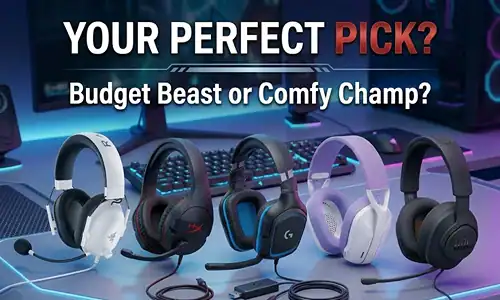
This price cannot deliver all three. Pick the one that matters most.
- Mic first, for streaming or squad comms: BlackShark V2 X
- Comfort first, for long sessions: JBL Quantum 100M2
- Audio first, per dollar: BlackShark V2 X, or the HyperX Cloud II with its 53mm drivers if you catch it discounted to around $50
Step 3: confirm compatibility before buying
Every 3.5mm headset here works with PC, PS5, Xbox Series X/S and Nintendo Switch with no adapter. USB connections are a different story: PS5 supports USB audio, Xbox Series consoles do not without a workaround. The G432’s 7.1 surround only runs over USB on PC, so verify your platform before buying it specifically for positional audio.
Practical Tips
| Tip | Details |
|---|---|
| Replace the Cloud Stinger 2 ear pads | HyperX sells replacement cushions, and swapping worn pads extends the comfortable life of the headset well past the point where the originals flatten out. |
| Try stereo as well as surround on the G432 | Virtual 7.1 processing adds latency and can blur separation. Many players prefer the G432 in plain stereo for most games. |
| Consider Windows Sonic or Dolby Atmos instead | These software spatial audio options run on PC with any headset, including ones with no surround feature of their own. |
| Check the return policy first | Fit is personal. The same headset that suits one head shape creates pressure points on another, so buy where returns are easy. |
FAQ
Which is the best gaming headset under $50 in 2026?
The Razer BlackShark V2 X at $35 to $45, for its balance of audio, mic quality and comfort. If the budget is tighter, the HyperX Cloud Stinger 2 at $20 to $30 is the value pick.
Are headsets under $50 worse than midrange ones?
Yes, and the gap shows up in two specific places: mic clarity and long term durability. Sound quality differences are smaller than the price gap suggests. If you play competitively or stream, spending more is justified.
Can a gaming headset under $50 sound good?
Yes. The BlackShark V2 X’s TriForce drivers and the HyperX Cloud II’s 53mm drivers both deliver solid stereo audio. What you give up at this price is soundstage width and bass extension rather than the frequencies that actually matter for gaming.
Which headsets under $50 work with PS5 and Xbox?
All the 3.5mm wired options here, meaning the BlackShark V2 X, Cloud Stinger 2, JBL Quantum 100M2 and Cloud II, plug straight into a PS5 or Xbox controller. The G432’s USB surround mode is PC only, and falls back to stereo over 3.5mm on console.
Which has the best mic under $50?
The BlackShark V2 X, by a clear margin, thanks to its cardioid pattern. The Cloud II and Cloud Stinger 2 are fine for squad comms. The G435 is the weakest, since its built-in mics suit party chat but not streaming.
What to Do Next
If you’ve settled on the BlackShark V2 X, compare Razer’s own store against Amazon, since pricing at this tier moves week to week and a price alert is worth setting.
If your budget can stretch, the $50 to $100 tier is where the real jump happens. Headsets like the HyperX Cloud Alpha or SteelSeries Arctis Nova 1 improve noticeably on soundstage and build quality. If you play more than ten hours a week, that upgrade earns its money back in comfort alone.
Two related things worth knowing: equalizer settings or Windows Sonic can meaningfully change how games sound without buying anything, and a dedicated USB DAC is generally not worth it at this headset tier.
Facts checked: August 8, 2026.
Sources
- HyperX, Cloud Stinger 2 specifications (50mm drivers, 275g, bi-directional noise-cancelling mic, memory foam and leatherette cushions, 90 degree rotating earcups, DTS Headphone:X)
- Razer BlackShark V2 X product listing (50mm TriForce drivers, cardioid mic, 3.5mm, PC / PS4 / PS5 / Switch compatibility)
Share this article

Ryan has been playing Roblox since 2017. He started keeping a personal spreadsheet of codes that actually worked after getting burned one too many times by lists that hadn't been updated in weeks. That spreadsheet turned into BossGamerz. He still plays Blox Fruits and King Legacy regularly — not to write about them, but because he genuinely enjoys them. He handles what gets published and what doesn't. If a code list goes up on this site, he's either tested it himself or someone on the team has done it in front of him.
View all articles