
Best Phone Cooling Fans for Mobile Gaming
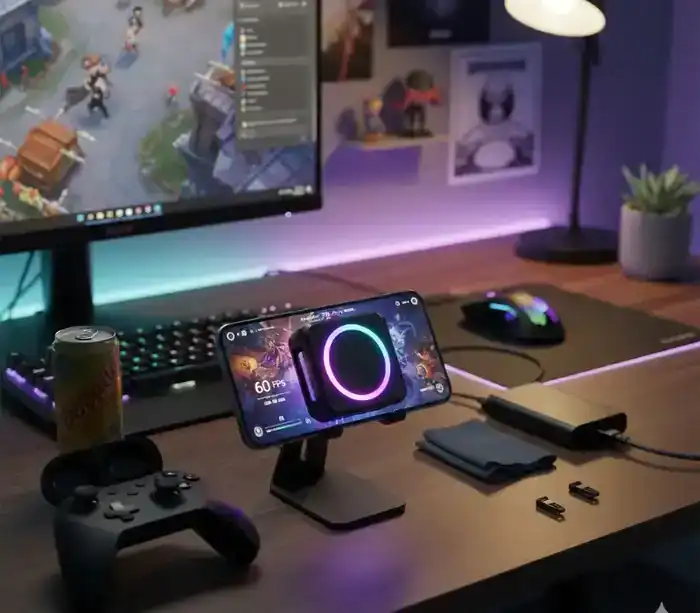
Your phone gets hot, the warning appears, and PUBG Mobile turns into a slideshow while your character freezes in place. It’s one of the most common complaints in mobile gaming, and on demanding titles it is close to unavoidable without help.
Genshin Impact, COD Mobile and Warzone Mobile push modern phones to sustained maximum load. When a phone can’t shed that heat fast enough, it throttles itself to avoid damage, and your framerate goes with it.
How this guide was put together: we haven’t tested these coolers ourselves. This is a research based comparison built from manufacturer specifications and independent published testing. Temperature figures are given as realistic surface reductions rather than manufacturer marketing numbers, and the difference between those two things is explained below.
What a Phone Cooler Realistically Does
Before the picks, one number needs correcting, because nearly every guide on this topic gets it wrong.
Manufacturers advertise figures like “45°C cooling” or “reaches minus 20 degrees”. Those describe the cooler’s own cold plate in open air with no load on it. They are not the amount your phone drops by.
Independent testing puts real-world surface reduction on a Peltier cooler at roughly 10 to 20°C, most commonly 10 to 12. One tested unit took a Samsung S24 Ultra running Genshin Impact from a sustained 45°C down to 33°C. Fan-only coolers with no Peltier element manage roughly 4 to 6°C, and cannot cool the phone below room temperature at all.
A 10 to 12°C drop is genuinely enough to stop throttling. It just isn’t 45.
Quick Comparison: Seven Phone Coolers
| Model | Cooling Power | Attachment | Price Range | Best For |
|---|---|---|---|---|
| Black Shark 5 Pro | 35W TEC | Magnetic plus grip | $80 to $120 | Maximum cooling headroom |
| RedMagic Cooler 6 Pro | 30W TEC | Magnetic or clip | $70 to $100 | Extended sessions |
| Flydigi B8X | 30W TEC | Clip | $60 to $90 | Comfort and quiet |
| Torras PolarCircle Qi2 | 15W plus Qi2 | Magnetic stand | $50 to $70 | iPhone, cooling while charging |
| Black Shark 4 Pro | 30W TEC | Magnetic | $50 to $80 | Best value from a known brand |
| Trilink Cooler | 20W TEC | Clip, built-in battery | $25 to $40 | Cable-free portability |
| Generic and Benks | 15 to 20W | Varies | $15 to $30 | Trying the concept cheaply |
Prices are indicative ranges and move constantly at this end of the market. Check before buying.
Why Your Phone Overheats During Gaming
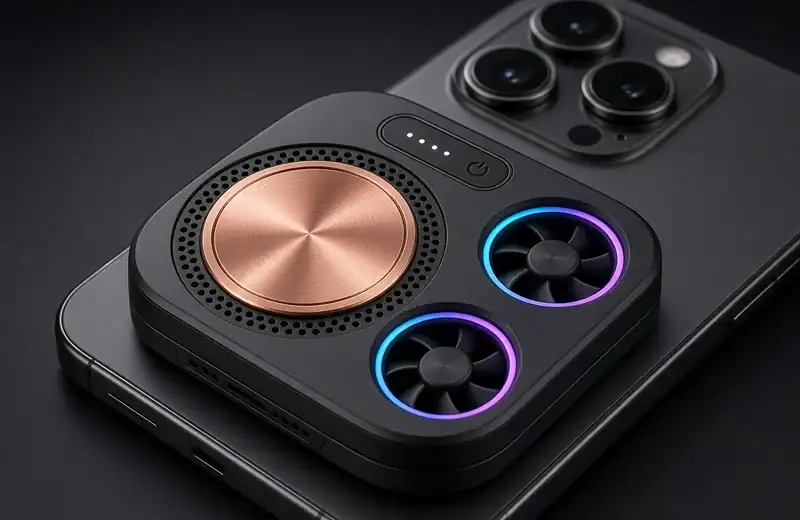
Modern mobile processors are extremely powerful, and that power arrives as heat. Under a graphically intensive game, the SoC and GPU run flat out and surface temperatures climb past 45°C.
The problem is physical space. Phones are thin, so they rely on passive cooling: graphite sheets, heat pipes, small vapour chambers. That works for everyday use and falls behind during sustained gaming, because heat is generated faster than the chassis can spread it out.
When temperatures climb far enough, the phone applies thermal throttling, deliberately cutting performance until it cools. That is what produces the sudden frame drops, the lag spikes and the warning message. It also drains the battery faster, and sustained heat degrades battery health over time.
For a full mobile setup, a cooler pairs naturally with a controller. Our guide to the best gaming controllers for PC and mobile covers that side of the rig.
How Phone Cooling Fans Actually Work
Phone coolers use active cooling, which works on a different principle from the passive cooling built into your phone. The good ones use semiconductor cooling, also called thermoelectric or TEC cooling, which relies on the Peltier effect to create a temperature gradient.
In practice, a thermoelectric chip inside the cooler pulls heat off your phone’s surface, and a high-speed fan dumps that heat into the surrounding air. Better models add a copper heat sink, a graphene layer or an aluminium plate to move heat more efficiently.
There is a constraint worth understanding. Whatever heat the cold side removes has to leave through the hot side, so if the hot side isn’t cooled properly the whole temperature differential collapses and performance drops away quickly. That is why fan quality matters as much as the Peltier wattage on the box.
The Coolers
Black Shark 5 Pro
The 5 Pro sits at the top of the consumer range on paper, with a 35W semiconductor chip and Black Shark’s ICECOLD architecture: a large FPC fan, cooling fins, a pure copper plate and thermally conductive silicone pads.
The attachment is a 12N magnet with a detachable grip, and at a claimed 27dB it is quiet enough not to intrude on game audio or voice chat. It weighs 82 grams and runs through Black Shark’s Shark Arsenal app on iOS and Android, which allows per-game cooling profiles.
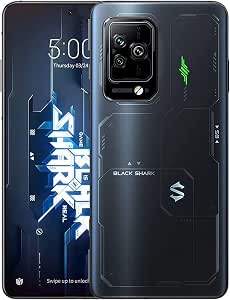
Price: $80 to $120. Best for: players who want the most cooling headroom available and don’t mind paying for it.
RedMagic Cooler 6 Pro
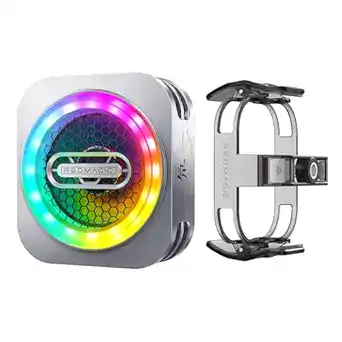
Also sold as the Nubia Cooler 6 Pro, this pairs a 30W semiconductor chip with a 40mm seven-blade fan and a 3D graphene heat sink. It is the sensible default for most serious mobile gamers.
Attachment is a 14N magnet, with a padded clip module included for phones without magnetic support. Compatibility covers the RedMagic series, Black Shark 4, Xiaomi, iQOO, recent iPhones and OnePlus.
Price: $70 to $100. Best for: strong performance without paying the premium tier price.
Flydigi B8X
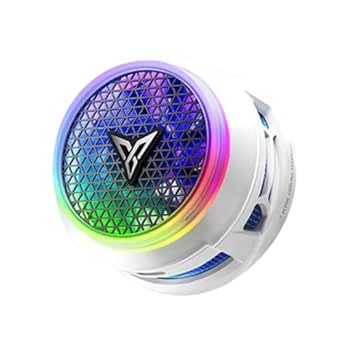
The B8X solves a problem other coolers create. Most blow air outward across your hands during long sessions. The B8X uses a suction-style design that draws air in from the sides and pushes it upward, so nothing blows across your fingers.
It runs a 30W chip with Flydigi’s Variable Frequency Temp Control 3.0, which adjusts power automatically and steps down to prevent condensation. At 105 grams it is among the lighter options, which matters for competitive players in reaction-heavy games. Noise sits below 35dB.
Price: $60 to $90. Best for: three hour sessions where hand comfort and quiet matter.
Torras PolarCircle Qi2
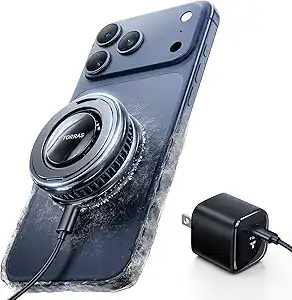
iPhone users have fewer good options, since most coolers are designed around Android. The PolarCircle combines cooling with 15W Qi2 wireless charging, which addresses the worst thermal scenario in mobile gaming: playing while plugged in, where charging heat compounds gaming heat.
It is a stand rather than a clip, so it suits tabletop play rather than handheld. Compatibility covers recent iPhone and Galaxy S series models.
Price: $50 to $70. Best for: iPhone users who want cooling and charging in one device.
Black Shark 4 Pro
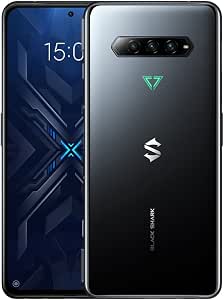
Not to be confused with the 5 Pro. The 4 Pro runs a 30W thermoelectric chip, reaches active cooling within about 30 seconds, and uses smart sensors to adjust fan speed automatically. It works with the same Shark Arsenal app, so you still get per-game profiles.
The magnet is weaker than the 5 Pro’s, but for the money this is the easiest cooler to recommend to someone buying their first one.
Price: $50 to $80. Best for: reliable performance from a known brand under $100.
Trilink Cooler
The Trilink’s advantage is its built-in rechargeable battery, which makes it genuinely cable-free. Charge it, clip it on, and play anywhere without hunting for an outlet or tethering to a power bank.
It is a 20W unit, so it won’t match the premium models, but for lighter titles and one hour sessions on a mid-range phone it does enough to keep frame rates stable.
Price: $25 to $40. Best for: portability, and testing whether cooling helps you before spending more.
Generic and entry-level options
The market is full of unbranded coolers between $15 and $30. They typically offer 15 to 20W with basic magnetic or clip attachment, seven-blade fans, RGB lighting and USB-C power. Build quality varies enormously, so read reviews carefully.
They are worth considering if you want to find out whether cooling helps your setup, if you mostly play lighter games, or if you need a spare for travel. Avoid them if you play demanding titles, game for two or more hours daily, or want warranty support.
Buying Guide: What Actually Matters
Cooling power in watts
This is the most important specification, though not in the way marketing implies.
| Power Range | Realistic Surface Reduction | Best For |
|---|---|---|
| 15 to 20W | Around 5 to 10°C | Casual gaming, lighter titles |
| 25 to 30W | Around 10 to 15°C | Regular gaming, most users |
| 30 to 35W | Around 12 to 20°C | Demanding titles, long sessions |
Note how much smaller these numbers are than the ones printed on the box. Be sceptical of any cooler claiming dramatic results from 10 to 15W, and equally sceptical of the 40-plus degree figures at the top end.
Cooling technology
Semiconductor or TEC cooling uses the Peltier effect to actively move heat, and can bring the surface below ambient temperature. This is what you want.
Fan-only cooling just moves air. It cannot cool the phone below room temperature, and delivers roughly 4 to 6°C at best, which is not enough to stop throttling in demanding games.
Hybrid systems combine a Peltier element with fans and heat sinks, and are what the premium models actually use.
Attachment method
Magnetic attachment is clean and adds no bulk, but needs either a MagSafe-compatible phone or an adhesive magnetic ring. Stronger magnets around 12N and up won’t slip mid-session.
Clip-on works with any phone and any case. Look for padded clips, and check that the clip won’t block buttons or ports on your specific model.
Hybrid units offer both, which is the most flexible option if you change phones often.
Noise level
| Noise Level | Experience | Acceptable For |
|---|---|---|
| Below 30dB | Effectively silent | Streaming, recording, quiet rooms |
| 30 to 40dB | Quiet hum, not distracting | General gaming, voice chat |
| 40 to 50dB | Clearly audible fan | Solo gaming only |
| Above 50dB | Loud and disruptive | Avoid |
Build quality and weight
Aluminium and copper conduct heat far better than plastic, and premium units add graphene layers and quality thermal pads. Weight matters for comfort: under 100 grams avoids hand fatigue, while anything past 150 grams starts to feel heavy within an hour.
Do You Actually Need One?
Not every mobile gamer does. A cooler earns its place if you play graphically demanding games at high settings, if you game for two or more hours at a stretch, if you compete in ranked matches where a frame drop costs you the fight, if you stream or record, or if you live somewhere ambient temperatures regularly pass 30°C.
You probably don’t need one if you play casual titles, if your sessions run under 30 minutes with breaks, if you play older undemanding games, or if you already own a gaming phone with built-in active cooling.
If heat is a recurring problem on a mid-range phone specifically, it is worth reading how far you can get with settings alone before buying hardware. Our breakdown of mobile gaming performance on the Galaxy A55 covers the software side of the same problem.
Installation and Setup
Placement
Position the cooler over your phone’s SoC, which usually sits in the upper third of the back. That is where the heat concentrates, and independent thermal camera testing consistently shows placement over the hotspot matters more than raw wattage.
For magnetic coolers on a phone without built-in magnets, clean the surface thoroughly before applying the adhesive ring. For clip-on coolers, attach before you start playing rather than after the phone is already hot, which reduces the risk of condensation from a sudden temperature change.
Power
USB-powered coolers need adequate current. Fan-only models need at least 5V/1A, while TEC units often need 9V/2A or a PD source. An underpowered supply causes the fan to stall or the Peltier element to underperform, and you should not run a cooler from a laptop USB port during gaming. If you are powering several accessories at once, a powered USB hub is a safer source than daisy-chaining off whatever port is free.
Battery-powered coolers should start fully charged. Most run two to four hours depending on intensity.
Avoiding condensation
This is the one genuine risk. If the cold plate drops below the dew point, moisture condenses on your phone. To avoid it: don’t jump straight to maximum power, use auto-adjust or smart temperature modes where available, avoid extreme settings in humid conditions, and if you do see condensation, switch the cooler off immediately and let the phone return to room temperature on its own.
Compatibility
Size and cases
Clip-on coolers typically adjust between roughly 2.8 and 3.7 inches of width, which covers most phones, but check the manufacturer’s figures for your model. Magnetic coolers work best with thin cases under about 3mm, since thick cases weaken the magnet enough to cause slipping. For best results, take a thick case off while gaming.
Special cases
Most coolers are not designed for foldables, so check reviews for your specific model. On gaming phones with physical shoulder triggers, confirm the cooler doesn’t block them. Phones with pop-up cameras or unusual rear designs need the same check for interference.
Frequently Asked Questions
Do phone coolers actually work for gaming?
Yes, within realistic limits. Independent testing puts Peltier coolers at roughly 10 to 20°C of surface reduction, which is enough to delay or prevent throttling in demanding games. Fan-only coolers manage 4 to 6°C and generally are not enough. Treat the 40-plus degree figures on packaging as cold-plate specs rather than what your phone will do.
Can phone coolers damage your phone?
Quality coolers used correctly do not. The one real risk is condensation from aggressive cooling, particularly in humid conditions. Use auto-adjust modes, avoid maximum power in humid environments, and prefer coolers with temperature protection that steps down automatically.
How much does a good phone cooler cost?
Between $25 and $120 depending on power and features. Budget units around $25 to $40 suit casual play. The $50 to $80 band covers most people well. Above $80 you are buying headroom and build quality rather than a proportional jump in cooling.
Do phone coolers drain your battery?
USB-powered coolers draw from an external source rather than your phone, so no. Battery-powered models need their own charging. Indirectly a cooler helps battery health, because sustained high temperature is one of the main causes of battery degradation.
Are magnetic or clip-on coolers better?
Magnetic is cleaner and quicker but needs MagSafe compatibility or an adhesive ring, and works best on flat-backed phones. Clip-on works with anything, including thick cases. For iPhone users, magnetic is usually ideal. For Android users with cases, clip-on is more practical.
Maintenance
Clean the cooling plate monthly with isopropyl alcohol on a microfibre cloth, since dust and skin oils reduce thermal contact. Use compressed air on the fan vents. Store the cooler somewhere dry, keep the cable loosely wrapped rather than sharply bent, and keep magnetic coolers away from cards and drives.
If cooling performance drops, check the plate is clean and in full contact, confirm your power source delivers enough current, and make sure vents aren’t blocked. Increasing fan noise over time usually means worn bearings, which premium brands generally cover under warranty. Adhesive magnetic rings typically need replacing after six to twelve months of heavy use.
Making the Right Choice
For competitive players, the Black Shark 5 Pro or RedMagic Cooler 6 Pro give the most headroom. For regular gamers on a budget, the Black Shark 4 Pro is the best balance. For anyone testing the concept, the Trilink or a decent generic does the job. iPhone users wanting charging as well should look at the Torras PolarCircle Qi2, and anyone playing three hour sessions should prioritise the Flydigi B8X for comfort.
The honest summary is that a good cooler buys you 10 to 15°C, and that is enough to keep a demanding game out of throttling territory for a long session. It is a real, measurable improvement. It is not the 45 degrees the box promises.
Worth remembering that hardware is only half the answer. Thermal headroom stops throttling, but settings decide how much heat the game generates in the first place, and the same logic applies on desktop, where making Roblox run faster on a low-end PC is mostly a settings problem rather than a cooling one.
Share this article

Ryan has been playing Roblox since 2017. He started keeping a personal spreadsheet of codes that actually worked after getting burned one too many times by lists that hadn't been updated in weeks. That spreadsheet turned into BossGamerz. He still plays Blox Fruits and King Legacy regularly — not to write about them, but because he genuinely enjoys them. He handles what gets published and what doesn't. If a code list goes up on this site, he's either tested it himself or someone on the team has done it in front of him.
View all articles