
HyperX Cloud III for Roblox: Sound, Mic & Comfort Reviewed
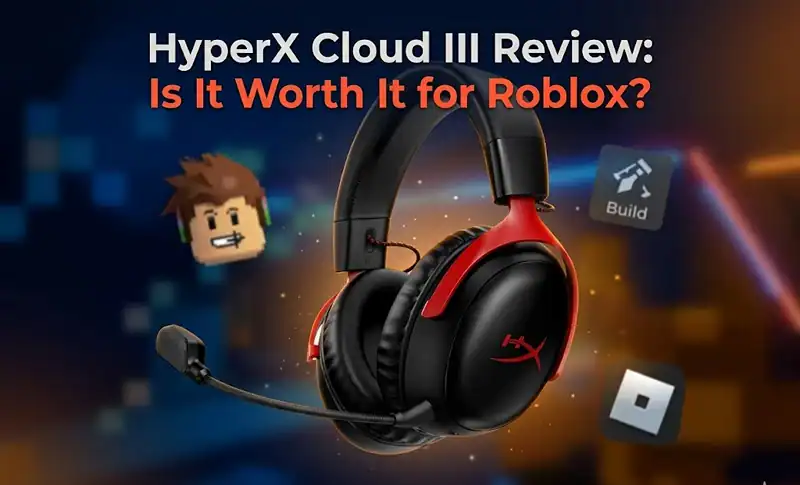
The HyperX Cloud III is worth it for Roblox if audio clarity and microphone quality matter to you. At around $79-$99, it delivers noticeably richer sound than budget headsets and its noise-cancelling mic performs cleanly in Roblox’s voice chat system. For casual players, cheaper options exist, but if you play Roblox daily and want something that lasts, the Cloud III holds up.
Here’s what most reviews skip: how this headset actually performs inside Roblox specifically, not just in AAA shooters.
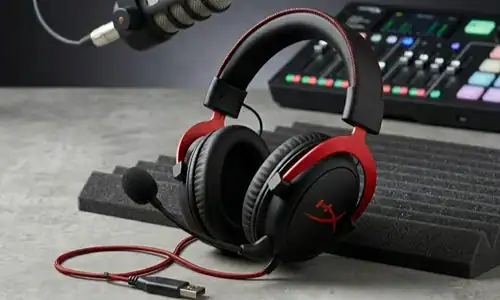
What the HyperX Cloud III Actually Offers
Released in late 2022 and still actively sold in 2026 with strong availability through Amazon and Best Buy in the US, the Cloud III is HyperX’s refinement of a headset line that’s been trusted since 2015.
| Spec | Detail |
|---|---|
| Drivers | 53mm dynamic drivers |
| Frame | Steel and aluminum |
| Earcups | Leatherette memory foam |
| Microphone | Detachable noise-cancelling |
| Connection | USB-A + 3.5mm |
The wired USB-A connection means zero latency and no battery to manage. For Roblox players, many of whom are younger users on family desktop PCs or laptops, that’s a meaningful practical advantage.
Sound profile is warm and slightly bass-forward. That works in your favor in Roblox, where ambient world sounds, footstep audio in games like Doors or Tower of Hell, and background music benefit from that low-end presence without becoming muddy.
How It Performs in Roblox Specifically
This is the part competitors skip entirely.
Roblox’s audio engine has come a long way since 2021, and if you’re playing any of the rarified titles within Roblox that support spatial audio. Arsenal, Phantom Forces or survival games like Piggy, then the Cloud III adds some level of directional awareness with its DTS Headphone:X spatial processing (via HyperX’s NGENUITY software on PC). You’ll hear footsteps before the player appears from the left. That’s actually useful, not just marketing copy.
For Roblox voice chat, the detachable cardioid microphone does a reliable job. Background noise, keyboard clicks, ambient room sound gets filtered cleanly. Other players hear you clearly without that tinny hollow quality you get from laptop built-ins or cheap clip-on mics.
One real limitation: the NGENUITY software that enables DTS audio is Windows-only. If you’re playing Roblox on a Mac or through a browser, you lose the spatial audio feature entirely, though basic stereo sound quality remains strong.
Comfort for Long Roblox Sessions
Roblox players don’t do 45-minute gaming sessions. They do 3-hour ones.
| Comfort Factor | What to Expect |
|---|---|
| Clamping force | Moderate, stays in place without pressure headaches |
| Frame weight | Light, aluminum saves noticeable weight vs. plastic builds |
| Earcup material | Leatherette memory foam, warm after 90-120 min in hot rooms |
| Head size fit | Comfortable for average adult and teen sizes; snug for larger heads |
One honest caveat: leatherette traps heat. In a warm room or during summer months, the earcups can feel warm after 90-120 minutes. If breathability matters more than sound isolation, a headset with cloth earcups might suit you better.
HyperX Cloud III vs. Budget Alternatives for Roblox
| Feature | HyperX Cloud III | Razer Kraken X ($50) | Logitech G435 ($60) |
|---|---|---|---|
| Driver size | 53mm | 40mm | 40mm |
| Microphone | Detachable noise-cancelling | Fixed noise-cancelling | Built-in |
| Wired/Wireless | Wired (USB + 3.5mm) | Wired | Wireless Bluetooth |
| Spatial Audio (PC) | DTS Headphone:X | 7.1 via software | Dolby Atmos |
| Build material | Steel + aluminum | Plastic | Plastic |
| Best for | Daily players wanting longevity | Budget-conscious buyers | Portability priority |
If you play Roblox two or three times a week and don’t care much about audio immersion, the Razer Kraken X at $50 does the job. But if Roblox is a daily habit, or if voice chat quality matters for group games, the Cloud III’s microphone and build quality justify the price gap.
Pro Tips: Getting the Most Out of Cloud III on Roblox
From real usage across different Roblox game types, here are things most reviews don’t tell you:
| Tip | Why It Matters |
|---|---|
| Install NGENUITY before your first session | DTS spatial audio transforms directional sound in 3D-enabled Roblox games. Takes two minutes, costs nothing. |
| Set Roblox’s in-game volume to 70%, not 100% | The 53mm drivers have strong output. At full volume in music-heavy experiences, sound peaks unpleasantly. |
| Use the 3.5mm cable on consoles | On Xbox, it puts volume control right on the controller instead of the headset. |
| Remove the mic when not gaming | Pulling it off between sessions keeps the swivel joint from wearing out prematurely. |
FAQ: HyperX Cloud III for Roblox
How good is HyperX Cloud III for Roblox?
Yes. The 53mm drivers deliver clear, warm audio that serves the broad spatial sound design of Roblox well, while the detachable mic works cleanly with Roblox Voice Chat. For daily use with Roblox, it’s better than most headsets for the price.
Is HyperX Cloud III compatible with Roblox voice chat?
It does. The cardioid noise-cancelling microphone is plug-and-play, so there’s no special drivers needed to use it with Roblox’s Voice Chat. Other players claim clean voice quality.
On casual gaming, is HyperX Cloud III a good investment?
For the light or occasional player, it is likely more headset than they need. For people who use Roblox every day and want it to last two or three years, the build quality is worth the price.
What is HyperX Cloud III also vaping like Cloud II for Roblox?
The Cloud III sports new larger 53mm drivers (compared to the previous standard 50mm ones), an upgraded microphone with better background noise cancellation, and connectivity over USB-A with DTS Headphone:X support. The mic improvement is the biggest upgrade for Roblox, specifically.
Which headset do the majority of roblox players use?
There’s no official data, but anecdotal evidence from community polls and Reddit threads suggest younger players mostly use budget headsets from Razer, Logitech and Turtle Beach. The Cloud III occupies that upper tier which older or more invested players typically select.
Is DTS spatial audio for Roblox supported on the HyperX Cloud III?
Yes, NGENUITY software on PC is required. DTS Headphone:X provides virtual surround sound, which enhances positional audio in supported 3D games on Roblox.
Should You Buy It for Roblox?
If you play regularly, use voice chat, and want a headset that won’t feel cheap six months from now, the HyperX Cloud III for Roblox is a definite yes. The build quality is solid, the microphone comes through crystal clear, and DTS spatial audio on PC rounds out a stellar package that makes these headsets one of the best options in this price bracket for this kind of use case.
If you’re ready to buy, check current prices at Best Buy or Amazon US. They often sell it for less than retail. For comparison, HyperX’s official spec page at hyperxgaming.com provides a full technical breakdown, including the frequency response curve, if you’d like to delve into the details.
For further reading, the guides on the best gaming headsets under $100 for PC gamers and how to optimize Roblox audio settings for better sound are both directly relevant if you’re setting up a full Roblox audio rig.
Share this article

Maya started writing about games during her second year at university, mostly as a way to avoid studying. She got good at it. She covers Blox Fruits guides, tier lists, and anything to do with in-game rewards — and she takes the tier list side of things seriously. She won't publish a ranking until she's actually played enough of the game to have a real opinion. Her rule: if she couldn't defend the list in a conversation with someone who plays daily, it doesn't go up. Outside of games she reads a lot, which probably explains why her guides are longer than everyone else's.
View all articles